v1
Docker Image
Built successfully from the project Dockerfile.
A responsive static website packaged inside a Docker image and served through an isolated Nginx container. The deployment includes image build validation, health checks, port mapping, and HTTP verification.
The website, Nginx web server, configuration, and health check are packaged together as a reusable Docker image.
Built successfully from the project Dockerfile.
Docker health check verified the Nginx endpoint.
Host port 8080 forwards requests to container port 80.
Nginx returned a successful HTTP response.
Docker publishes the container's internal Nginx port through a port on the host system.
Screenshots captured during the real Docker build, container execution, and Nginx verification process.
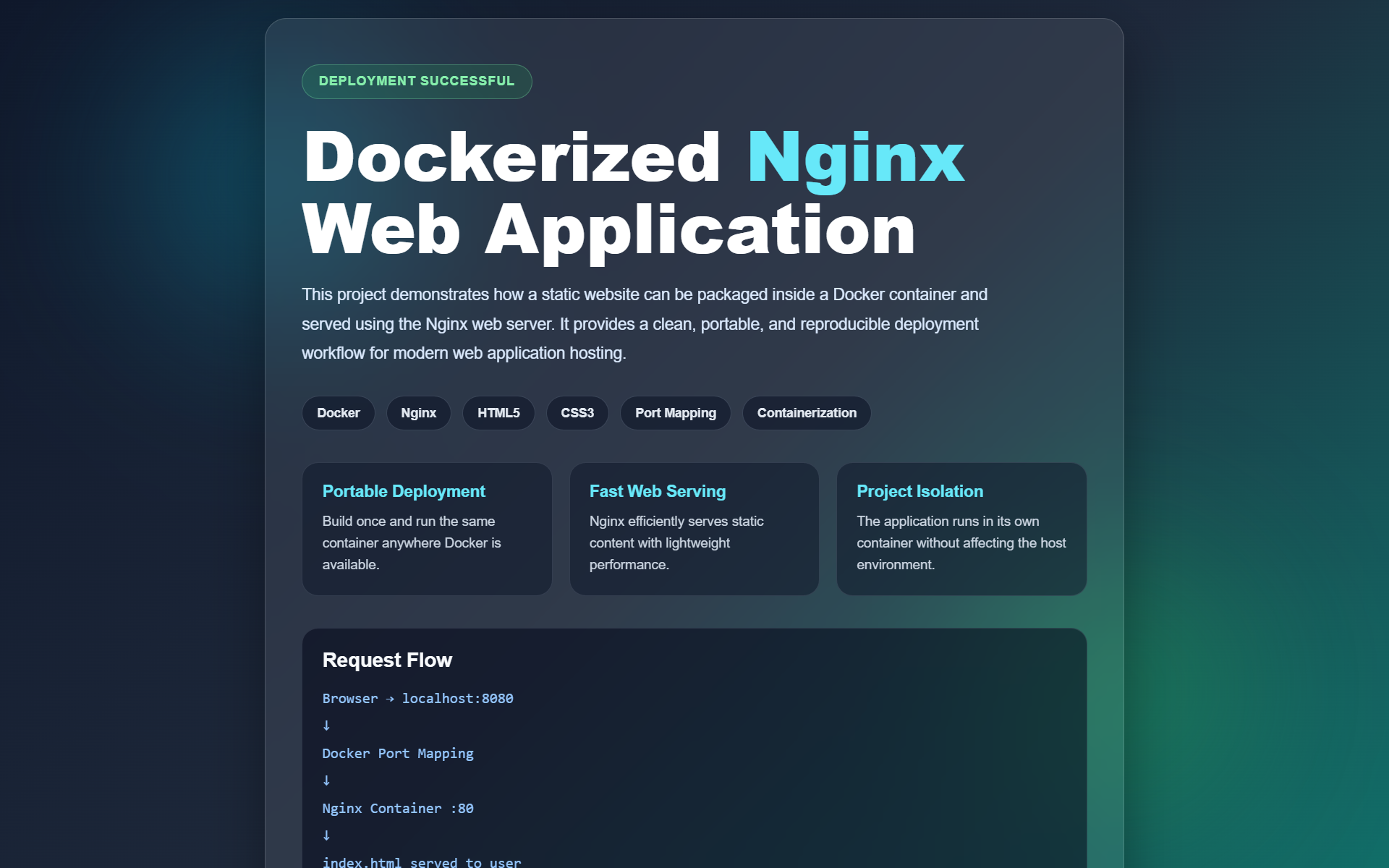
Responsive website successfully served through the Nginx container.
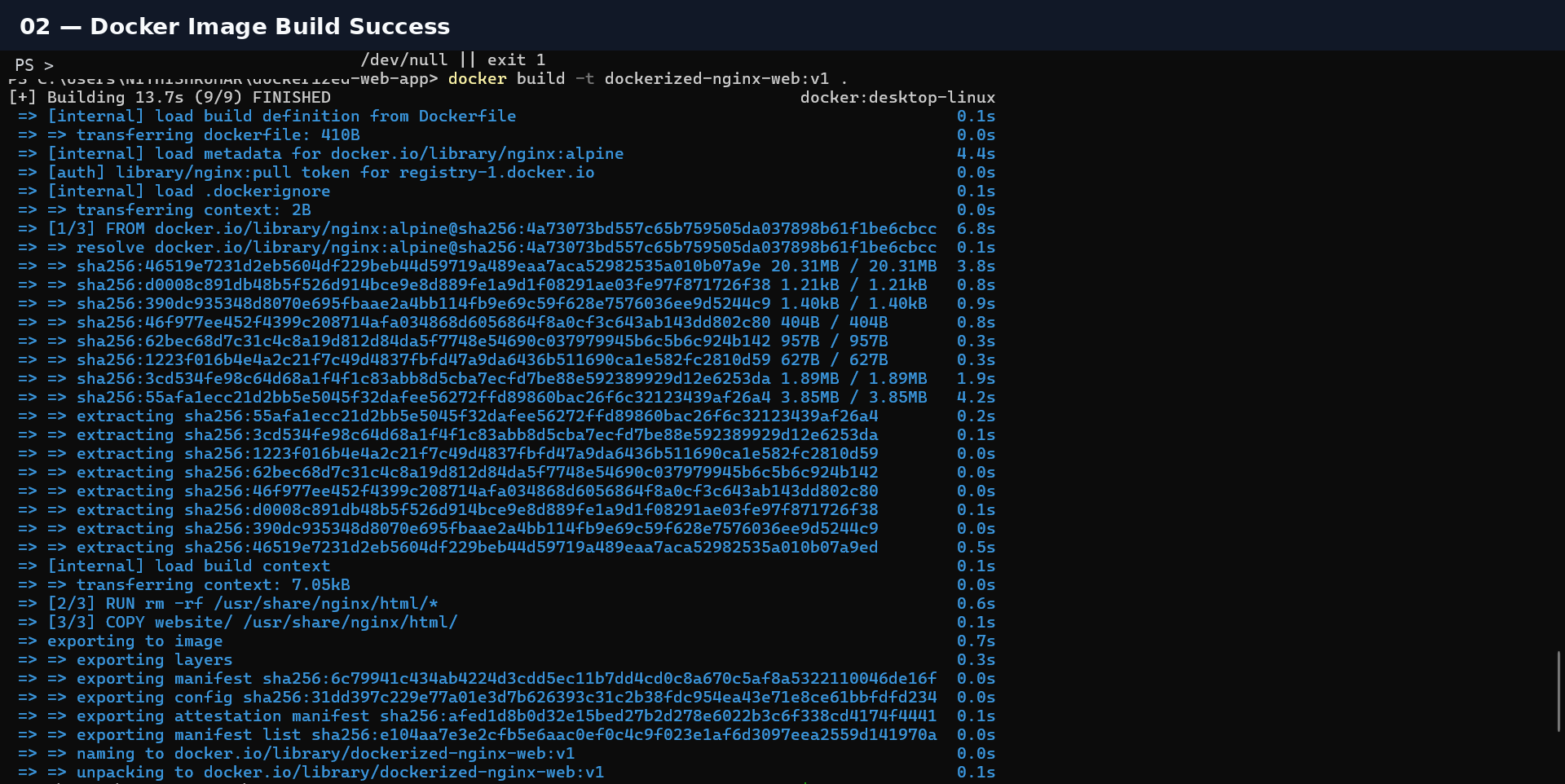
Dockerfile processed successfully and image tagged as dockerized-nginx-web:v1.

Container status verified as healthy with port mapping from 8080 to 80.
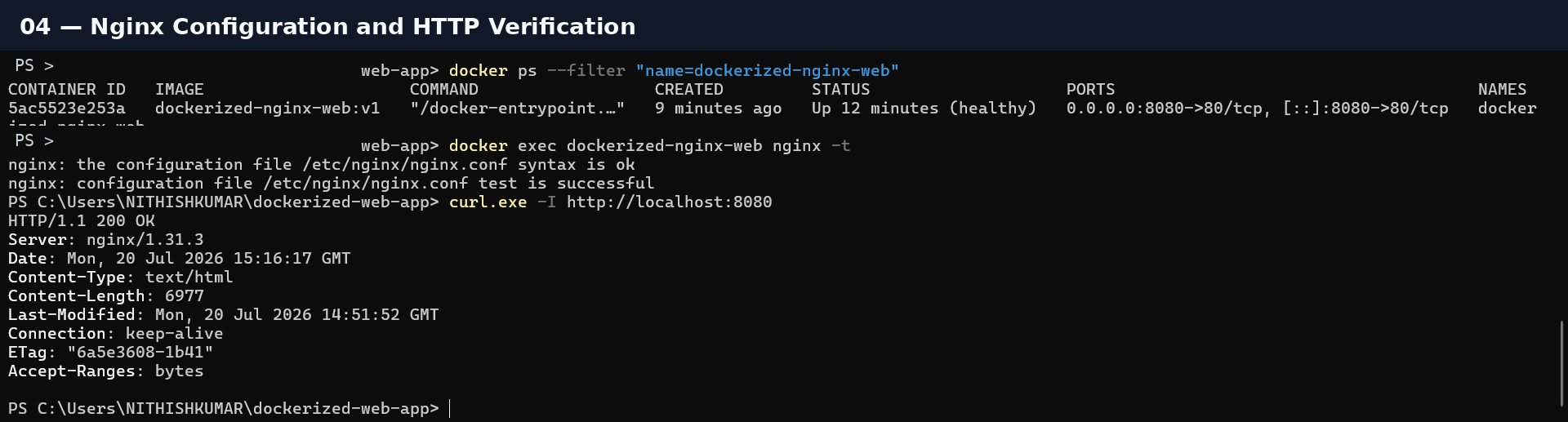
Nginx configuration test succeeded and the endpoint returned HTTP 200 OK.
docker build -t dockerized-nginx-web:v1 .
                            docker run -d --name dockerized-nginx-web
                            -p 8080:80 dockerized-nginx-web:v1
                            docker ps --filter
                            "name=dockerized-nginx-web"
curl.exe -I http://localhost:8080